
QuillBot Review 2026: Features, Pricing, Accuracy & Verdict
Most AI writing tools try to do everything. QuillBot focuses on one job and does it better than most: taking text you already have and making it clearer, tighter, or differently worded without starting from zero.
I used QuillBot for months as part of my regular writing process — refining drafts, fixing awkward sentences, testing different tones, checking for AI patterns, and cleaning up client content. This review comes from that daily use, not from marketing pages or feature lists.
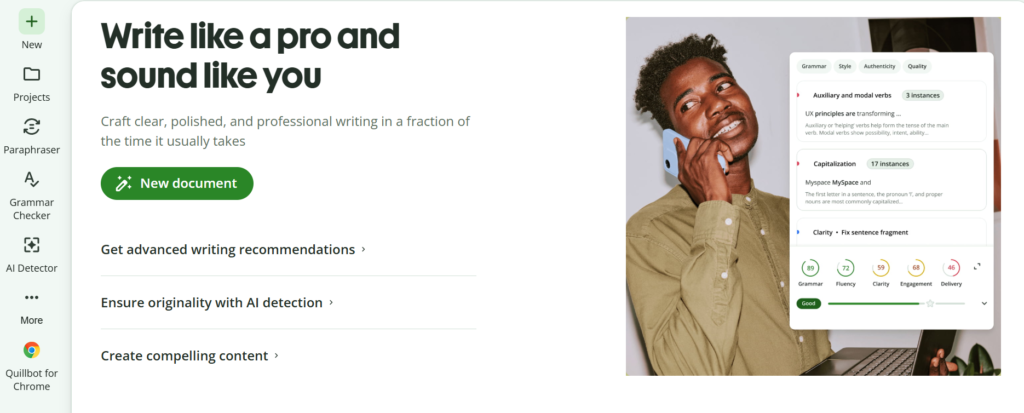
What QuillBot Is Built For
QuillBot works best when you already have writing in front of you. Students use it to improve essays. Content writers use it to refresh drafts. Professionals use it to polish emails and reports. SEO teams use it to create alternative versions of existing copy while keeping the original meaning.
It is not designed as a full content generator. If you need long articles created from a blank prompt, a general AI chatbot is usually more flexible. QuillBot shines at the refinement stage.
Paraphraser: The Feature That Delivers the Most Value
This is the tool I opened most often. QuillBot does more than swap synonyms. It restructures sentences and offers different versions while trying to keep the core meaning intact.
In practice I used it to:
- Fix repetitive or clumsy phrasing
- Change tone (more formal, simpler, more concise)
- Shorten long sections without losing key points
- Create alternative versions of the same paragraph for testing
Free users get Standard and Fluency modes with a 125-word limit. Premium unlocks nine modes, unlimited length, side-by-side comparison, and history.
The output is usually solid for everyday writing, but I never published it without reading carefully. Sometimes a rewrite improves flow and slightly changes emphasis or precision. Human review remains essential.
Grammar Checker in Real Workflows
The grammar checker catches common spelling, punctuation, and sentence-level issues. Its biggest practical advantage is convenience — you can rewrite and then check the same text without switching tools.
For emails, blog posts, reports, and general business writing it saves time. For specialized academic, legal, or technical content I still reviewed important corrections myself. Automated suggestions help, but they should not replace final judgment.
AI Detector: Helpful Signal, Not Final Authority
QuillBot’s AI Detector estimates whether text looks machine-generated. I tested it on raw AI output, lightly edited AI text, and fully human writing.
It performed reasonably well on obvious AI content. Results became less consistent once text was paraphrased or mixed with human writing. Occasional false positives also appeared, especially on formulaic or non-native writing.
Practical takeaway from testing: Treat the detector as an early screening tool. If it flags something, examine the text more carefully. Do not use the score as the only basis for academic, employment, or publishing decisions. No detector in 2026 is fully reliable across all writing styles.
Humanizer: Improves Flow More Than It “Hides” AI
The Humanizer rewrites AI-assisted text to sound more natural by increasing sentence variety and reducing repetitive patterns. I found it useful for smoothing drafts that felt too uniform or mechanical.
It does not guarantee that other detectors will classify the result as human-written. Detection systems remain probabilistic. The better use is improving readability rather than trying to bypass detection tools.
Plagiarism Checker, Summarizer, and Citations
Premium includes a plagiarism checker (approximately 25,000 words per month). It is useful for spotting potential matches before submission or publication. Treat the report as a review aid, not automatic proof of originality.
The Summarizer works well for condensing long articles or research notes. Citation tools help with academic formatting. Both save time when working with existing sources, but important academic work still needs verification against the original material.
Free vs Premium: The Real Difference
Free plan is usable for light work:
- Paraphrasing limited to 125 words
- Only Standard and Fluency modes
- Basic grammar checking
- Summarizer limited to about 1,200 words
- Restricted AI Detector and Humanizer access
Premium removes the main friction points:
- Unlimited paraphrasing
- Nine modes plus comparison tools
- Advanced writing suggestions
- Full Humanizer access
- Plagiarism checker
- Unlimited AI Detector
- Longer summaries and additional features
If you only rewrite short passages occasionally, Free is often enough. Once you edit or paraphrase regularly, the Free limits become noticeable and Premium feels more practical.
Pricing Reality in 2026
Premium pricing varies by region and billing cycle. The annual plan commonly works out to around $8.33 per month (roughly $99–100 per year). Monthly billing is higher. Always check the official QuillBot pricing page for current rates and regional differences.
QuillBot vs Grammarly: Different Jobs
These tools solve different problems.
QuillBot is stronger when you need to rewrite, restructure, or generate alternative versions of existing text.
Grammarly is stronger for continuous grammar, clarity, tone, and professional communication while you write.
If your main task is transforming paragraphs, QuillBot is the more natural choice. If you want ongoing error correction and style guidance across documents, Grammarly usually performs better. Many writers use both at different stages.
QuillBot vs ChatGPT
ChatGPT is a flexible general-purpose AI for research, brainstorming, explanations, and creating content from scratch. QuillBot is specialized for refining text you already have.
When I needed cleaner or differently phrased versions of an existing draft, QuillBot was faster and more focused. When I needed ideas, structure, or original long-form content, a general AI assistant was more useful.
Strengths Observed in Daily Use
- Strong paraphrasing and rewriting capability
- Multiple useful modes that change tone and structure
- Convenient all-in-one editing environment
- Solid Free tier for occasional users
- Helpful grammar, summarization, and detection tools
- Premium removes the main usage limits effectively
Limitations to Keep in Mind
- Free paraphrasing has clear restrictions
- Output still requires human review
- AI Detector is useful but not definitive
- Premium is needed for several advanced features
- Better at refining existing text than generating sophisticated long-form content from zero
Who Gets the Most Value From Premium
Premium is most worthwhile for frequent users:
- Students working with academic writing
- Bloggers and content writers revising drafts
- Freelance writers and editors
- SEO professionals creating content variations
- Researchers and non-native English speakers
- Business users polishing reports and communication
Occasional users who mainly need basic grammar or short rewrites can usually stay on the Free plan.
Is QuillBot Worth Using in 2026?
Yes — if your main need is improving and rewriting existing writing.
Its practical advantage is the focused combination of paraphrasing, grammar cleanup, summarization, humanization, and originality tools in one workflow. The Free plan works for light use. Premium becomes clearly more useful once the word limits and restricted modes start slowing you down.
QuillBot works best as an assistant. Let it suggest better versions, then decide what actually improves the text.
Final verdict from extended testing: QuillBot remains one of the most practical dedicated rewriting tools available in 2026. If you regularly need to rephrase, clarify, or refine existing content, it is worth using — especially on Premium. If your primary work is creating original long-form content from scratch or continuous real-time grammar correction across every document, combine it with other tools or choose differently.