
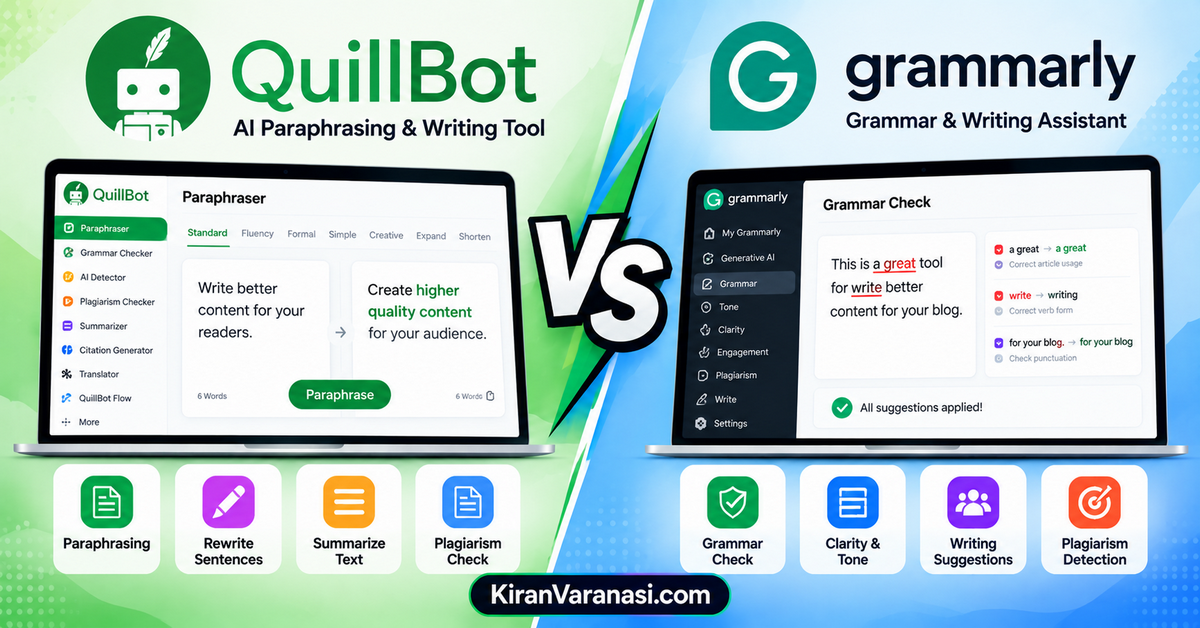
Choosing the right AI writing tool can make a big difference when you create, edit, and improve online content. QuillBot and Grammarly are two popular writing assistants, but they focus on different aspects of the writing process.
This QuillBot vs Grammarly comparison looks at how the two tools differ in grammar checking, paraphrasing, rewriting, AI writing, plagiarism checking, and overall content improvement.
In this QuillBot vs Grammarly (2026) comparison, we’ll examine their features, pricing, ease of use, AI capabilities, and key strengths and limitations.
Whether you are a blogger, student, content writer, teacher, or professional, this guide will help you understand whether QuillBot or Grammarly is better suited to your writing needs.
We’ll also compare QuillBot vs Grammarly for writing, including when to use QuillBot for paraphrasing and rewriting and when Grammarly may be more useful for grammar, clarity, tone, and writing suggestions.
By the end, you’ll have a clearer understanding of QuillBot vs Grammarly and which tool fits your particular workflow.
What Each Tool Actually Is
QuillBot started as a paraphrasing engine, and that remains its core identity. Over the years it’s grown into a writing suite: paraphraser with multiple modes, summarizer, grammar checker, plagiarism detector, citation generator, and AI content detector. Its heartland is students, researchers, and academic writers.
Grammarly is an all-round writing assistant. It checks grammar, spelling, clarity, and tone as you type — in your browser, in Word, on your phone keyboard, basically everywhere words happen. Its heartland is professionals who write all day and want everything clean without thinking about it.
Head-to-Head Comparison
| Feature | QuillBot | Grammarly | Winner |
|---|---|---|---|
| Paraphrasing | Multiple modes, freeze words, up to 10k words | Basic rewriting | QuillBot |
| Grammar checking | Competent, secondary feature | Deep: sentence rewrites, tone, readability | Grammarly |
| Plagiarism checker | ✅ Included | ⚠️ Limited | QuillBot |
| Citation generator | ✅ Built in | ❌ | QuillBot |
| Tone detection | ❌ | ✅ | Grammarly |
| Works everywhere you type | Browser + Word | Browser, Word, mobile keyboard, desktop apps | Grammarly |
| AI writing/drafting | Summarizer-focused | Generative AI drafting | Grammarly |
| Free plan | ✅ Generous | ✅ Usable | Tie |
| Starting price | ~$4.17/month | ~$12/month | QuillBot (cheaper) |
Paraphrasing & Rewriting: QuillBot Wins Clearly
This isn’t close. QuillBot offers multiple paraphrasing modes (standard, fluency, creative, formal, and more), lets you freeze specific words so terminology stays intact, and handles up to 10,000 words at once on premium. It’s built for the specific pain of “I need to say this differently” — rewording sources, simplifying complex paragraphs, avoiding repetition.
Grammarly can rephrase sentences, but it’s a side feature, not the product. If rewriting is your primary task, QuillBot is the tool and it isn’t a debate.
Grammar & Clarity: Grammarly Wins Clearly
Flip the comparison and the result flips just as hard. Grammarly catches more errors, suggests sentence-level rewrites (not just word swaps), and gives feedback on tone, conciseness, and readability. It explains why something is wrong, which quietly makes you a better writer over time.
QuillBot’s grammar checker works fine for a final pass, but it’s the supporting act. If your problem is “my writing has mistakes and sounds off,” Grammarly is the answer.
Features & Ecosystem
This is where their different philosophies show. Grammarly is an everywhere tool — browser extension, Word integration, mobile keyboard, desktop app. It follows you across contexts, which is exactly what a professional churning through emails, docs, and messages needs.
QuillBot is an academic toolkit. The summarizer condenses long papers into key points. The citation generator formats references in APA, MLA, and Chicago. The plagiarism checker and AI detector address the integrity questions students actually face. Grammarly has nothing comparable here.
So the question isn’t “which has more features” — it’s “which features match your work.” Daily professional writing → Grammarly’s ubiquity. Research and study → QuillBot’s academic extras.
For a deeper look at QuillBot’s full toolkit, see my QuillBot review.
Pricing
- QuillBot Premium: from ~$4.17/month
- Grammarly Pro: from ~$12/month
- Both offer genuinely usable free plans — QuillBot’s free tier is notably generous for casual paraphrasing.
The value framing matters more than the numbers: QuillBot is the budget pick that over-delivers inside its niche. Grammarly costs nearly 3x more because it works across every app you type in and covers more writing dimensions. Neither is overpriced for what its actual users need — they’re just priced for different jobs.
Who Should Choose Which
Choose QuillBot if you:
- Are a student or researcher paraphrasing and summarizing regularly
- Need a citation generator and plagiarism checker in your workflow
- Want the cheapest capable option (~$4.17/mo is hard to argue with)
- Rewrite existing text more than you draft from scratch
Choose Grammarly if you:
- Write emails, reports, or documents professionally every day
- Want one tool working everywhere you type, including mobile
- Are a non-native English speaker who wants tone and naturalness feedback
- Value writing feedback that improves your skills over time
The honest third option: use both. Free Grammarly for everyday polish plus QuillBot premium for rewriting is a stack thousands of writers actually run. There’s no rule saying you must pick one — and anyone telling you otherwise is selling something.
Final Verdict
There is no single winner, and that’s the honest answer. Grammarly is the better all-round writing assistant for professionals. QuillBot is the better paraphrasing and academic tool at a third of the price. Match the tool to the job: fixing writing → Grammarly; rewriting writing → QuillBot. If you do both jobs regularly, the combined stack costs less than $5/month on top of Grammarly’s free plan.
Frequently Asked Questions
Is QuillBot better than Grammarly?
Neither is objectively better — they do different jobs. QuillBot wins at paraphrasing, summarizing, and academic tools; Grammarly wins at grammar checking, clarity, and working everywhere you type.
Can I use QuillBot and Grammarly together?
Yes, and many writers do. A common setup is Grammarly (even the free plan) for everyday writing polish plus QuillBot premium for paraphrasing and research tasks.
Which is cheaper, QuillBot or Grammarly?
QuillBot Premium starts around $4.17/month versus Grammarly Pro at around $12/month. Both have free plans worth trying before paying.
Is QuillBot good for students?
Yes — it’s arguably built for them. The paraphraser, summarizer, citation generator, and plagiarism checker map directly onto academic workflows in a way Grammarly’s feature set doesn’t.